 UNREAL ENGINE – REALISTIC OCEAN SIMULATOR FOR UE4 4.25
  Bridget 8 Pro Bundle(DAZ Studio Format 3D Model)
 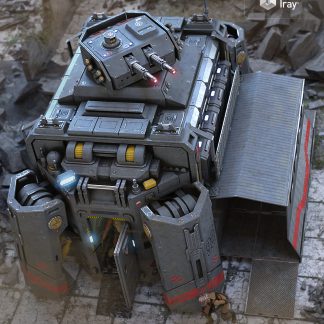 Military Module(DAZ Studio Format 3D Model)
  Unity Asset - Eadon Advanced Crafting v1.3.1a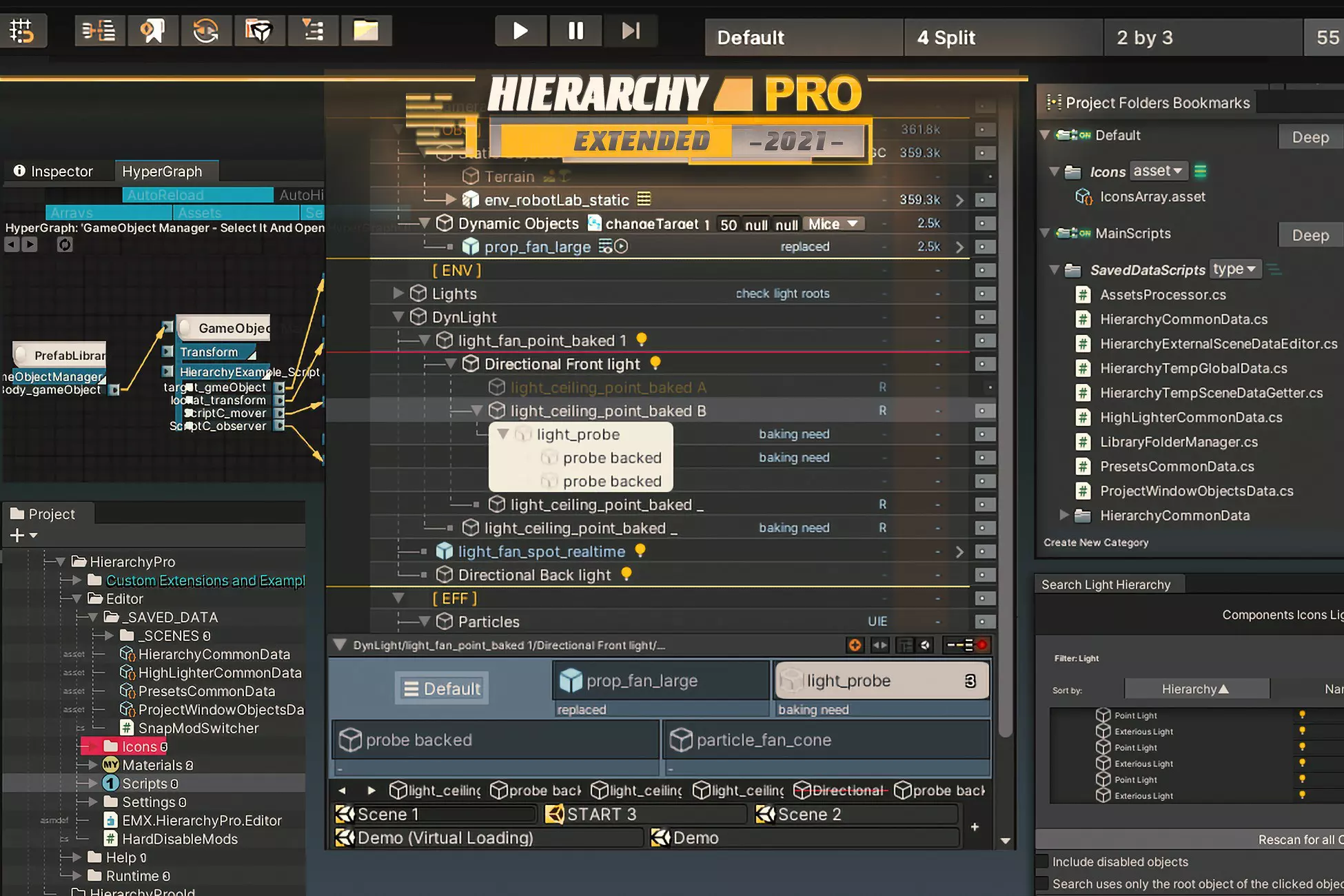
Description
Fully documented :
| New Documentation: Get started quickly with new wiki page
| Web Site: Learn more about other assets.
| Unity Forum Thread: Submit any questions?
–
It is new 2022.1 important update
- 1 – Fixed issue with saving additional hierarchy data
- 2 – Fixed issue with unload/load scene
- 3 – Fixed CLOSING windows problems
I got a little sick and could not fix the problems in time, I apologize to all of you for such a deadline. I hope you will be happy with the asset as it was before
–>
1. ☰ MAIN (…) :
• Lines Height/Indents/Colors and etc
• Events
[UP/DOWN] – Move multiline selection together
[LEFT/RIGHT] – Expand hovered tree item
end etc
• Background
2. ☰ INTERGRATED MODS (4) :
• TopBar
Special toolbar integration allows you to quickly switch between layouts and integrate your own buttons
• Special GameObjects Menu
This mode integrated in the gameobject menu, and includes examples of elements like
‘[Group], [Ungroup], [Set next/previus sibling index], [Move to parent], [Set new parent], [Duplicate next to object], [Multi renamer], [Reverse order of child sibling indexes]’
This mode allows you to add your own menu elements.
• AutoSave
• Snap (Not bad for 2020 and below)
3. ☰ LEFT DROP-DOWN WINDOW (4) :
• Auto Highlighter
Applies colors/icons/background automatically (allows you to create a conditions based on names/components/layers/tags)
• Manual Highlighter
Applies colors/icons/background (includes child grouping, and special background styles)
• Presets Manager
Allows you to save the values of the object’s fields, including references to the internal objects of the scene
4. ☰ RIGHT BAR (4):
• Right Bar Mods Pack [9 buildin/9 custom] :
Layers/Tags/SpriteOrder/Audio/Description/Memory Info/Static Flags/UI Text/RayCast Target Flag and so on…
This mod allows you to add your own modules.
There are many ways to manipulate size of modules right in the hierrarchy window
• SetActive Buttons
• Icons For Components
Will draw icons and allow manipulate them using the context menu (you can call methods of log private field values)
• PlayMode Preserver
The convenient mod allows you to save values changed in the PlayMode (it records undo for changes)
• Search
A special modal the window allows you to quickly search objects using content from the right bar
5. ☰ EXTERNAL MODS (6) :
• Bottom Bar
A special mod that integrates into the bottom part of the hierarchy window and allows you to quickly manage EXTERNAL MODS right in the hierrarchy window
• HyperGraph [E]: Displays references between objects and their components, or between unity events
• BookMark (Quick Buffer) [E]
Contains different categories, allows you to manipulate objects and create their instances
• Selection History [E]
Quick manager for selection
• Last Scenes [E]
Quick manager for scenes
• Saver for Expanded Tree Items [E]
Quickly create and restore expanded states
6. ☰ PROJECT MODS (6) :
• Lines Height/Indents/Colors and etc
• Background
• Auto Highlighter
• Manual Highlighter
• Folder for Project [E]
Allows you to bookmark folders or objects, allows to display child of bookmark folders. allows filtering by extension, supports flat hierarchy