AE Template Vincent Impressionism Titles
  V-Ray v5.00.05 for 3ds Max 2016 – 2021 Crack Version
  Learn archviz visualization, Blender beginner course 2021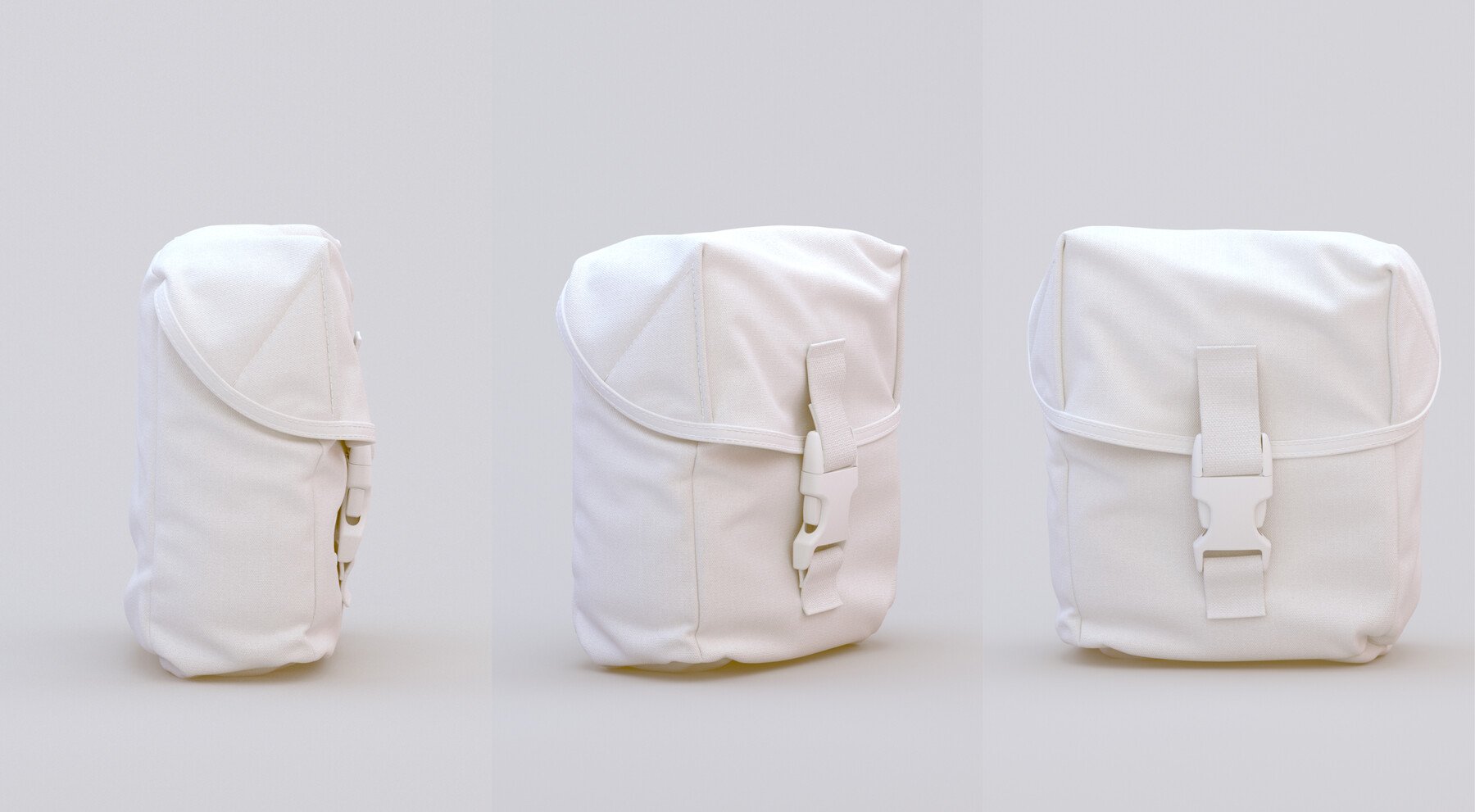
Description
DURATION: 1h 30
DIFFICULTY: Intermediate
In this step by step video tutorial, I am walking you through my usual marvelous designer workflow to produce a combat pouch for characters or even as a standalone prop.
I am covering topics such as construction of MD patterns, managing shapes with fold angles and adding extra realistic details such as stitching and trims.
The mesh is then taken into Zbrush where I am sharing how I handle thickness, adjust the silhouette and add a buckle in order to take the realism to the next level.
Hopefully by the end of the tutorial you will know the methodology to construct pouches of a range of designs from scratch to add complexity to your own 3d Characters.
CONTENTS
MD Project File
Reference Image
Zbrush File
7 Chapters
1. Blocking out the Base
2. Blocking out the Top
3. Adjusting the Fitting
4. Adding Trims
5. Creating Straps
6. Adding Stitches
7. Exporting To Zbrush
Please note that it’s assumed that the user knows the basics of UI and navigation in both Marvelous Designer and Zbrush
If you’re a complete beginner in Marvelous Designer, I recommend to start with this tutorial: