Unreal Engine – Post Apocalyptic Props Pack
  Model+Model Vol 06 Books
  Unreal Engine – Rusted Pipes Pack
  3dsfree Coffee shop 3D model Corona Scene
  Unity Asset - Eadon Advanced Crafting v1.3.1a
  Unreal Engine – Realistic Working Clock Pack
  cheap 3D model plant Collection
 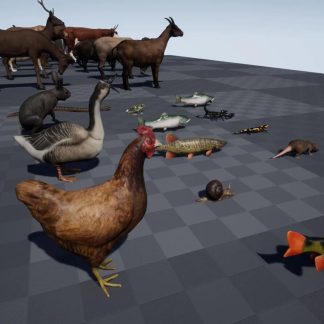 Unreal Engine – ANIMAL PACK ULTRA
  Unity Asset - Eadon Survival for Invector TPC v1.3.1
 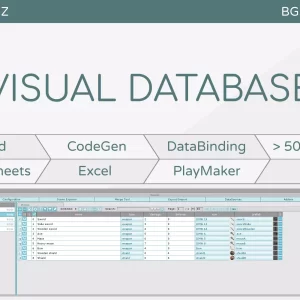 Unity Asset - BG Database v1.7.4
 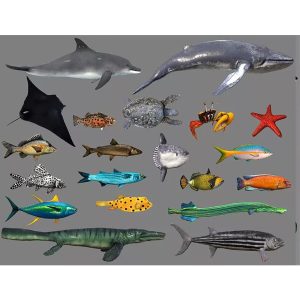 Low poly Fish Collection Animated Pack 4
  Flower Home Decor 3D Model
 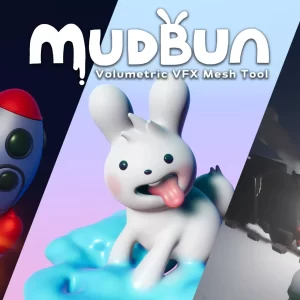 Unity Asset – MudBun Volumetric VFX & Modeling 1.4.34
  Unity Asset - Bakery Real-Time Preview v1.191
  Flowers, branch 3D Model
 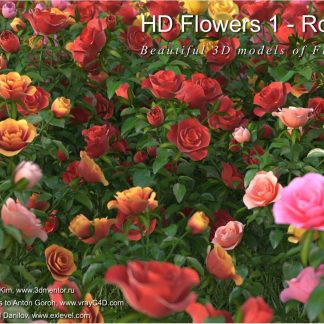 HD Flowers 1 Roses 3D Models
  Model+Model Vol 03 Interior lights
  BeInspiration 18 3D model
  3dsfree interior plants
  Unity Asset – Pipes 2D Game Template v1.3
Description
Mocha Pro is the world renowned software for planar tracking, rotoscoping, object removal, stabilization, and mesh tracking. Essential to VFX and post-production, Mocha has been recognized with prestigious Academy and Emmy Awards for its contribution to the film and television industry.
WHAT’S NEW IN MOCHA 2022:
Performance, Speed & Features
– Apple M1 Support boosts speeds on new Mac hardware
– Adobe MFR Support – AE Multi-Frame Rendering
– VFX Platform 2021 with improved color management
– Insert with PowerMesh: Improved workflow for warped surface compositing
– New Planar Tracking Features deliver the highest quality tracking and roto results
– New Exports for Nuke, Silhouette, Alembic, and Mistika.
Insert Module with PowerMesh
The improved Insert Module features warped surface compositing driven by PowerMesh tracking for a new streamlined workflow. Now mesh tracking can be rendered with motion blur! New workflow brings tracked insert compositing to editing hosts like Premiere, VEGAS, and Media Composer. Finish simple match moves in one AE effect without precomps! Includes 12 new blend modes, improved render quality, motion blur, and new Grid Warp interface to bend/distort source elements.
Improved Tracking Workflows
– New! RGB channel tracking and RGB viewer controls
– New! Multi-link layers and link mesh tracking to existing planar track layers
– Improved! Quick Stabilize in viewer by layer for improved roto workflow
– Improved! Dopesheet for keyframe editing, sliding and navigation
– Improved roto exports for Nuke and Silhouette with split track and spline keyframes
– New Exports! PowerMesh to Nuke Tracker and PowerMesh to Alembic transforms.
The Most Reliable Tracking
Rock solid planar tracking is at the heart of all Mocha Pro modules. VFX artists turn to Mocha for its ease of use and reliability when faced with the most difficult shots. Mocha is versatile, so use it the way you want…as a standalone application, or as a plugin in your favorite host. Mocha Pro can export tracking, roto shapes, lens calibration and 3D data in a wide variety of formats, or render to file or back to your host.
PowerMesh
PowerMesh enables a powerful sub-planar tracking process for visual effects and rotoscoping. Now Mocha Pro can track warped surfaces and organic objects, making it even more powerful for match moves and digital makeup shots.
PowerMesh is simple to use and faster than most optical flow based techniques.
– Render PowerMesh driven inserts as composites or RGBA cutouts.
– Output a Reverse Warp/Stabilized view for advanced paint and VFX tasks.
– Use PowerMesh to to drive roto shapes with less keyframes.
– Export mesh vertices to After Effects Nulls, Nuke tracking, or Alembic for Flame, C4D, and more 3D support.
Roto with Less Keyframes
Mocha’s masking workflow features tracked spline tools to speed up shape creation and reduce manual keyframes. Export or render roto to most popular host applications. X-Splines and Bezier splines with magnetic edge-snapping assistance and Area Brush tool help create detailed mask shapes — without requiring drawing skills. PowerMesh warped splines deliver even more accurate results when masking organic moving objects like musculature, skin, fabrics, and more.
Remove Objects and Wires
Remove unwanted elements, wires, rigs, tracking marks, and 360 cameras. Generate clean plates for massive time-savings. The Remove Module is an amazing alternative to traditional clone techniques for removing objects. It automatically detects temporal clean frames to blend and align pixels with little user input. It’s like Content Aware on steroids!
Screen Inserts and Match Moves
Render accurate match moves and screen inserts with realistic motion blur or warped distortions. The Insert Module can now be driven by PowerMesh and has improved compositing with higher quality sub-sampling and blend modes. Redesigned Grid Warp tool can be used to bend and deform insert elements to match curved and distorted surfaces. Insert also combines with Lens Module for realistic VFX compositing on lens distorted footage.
Stabilize Camera or Object Motion
The Stabilize Module can lock down camera motion or stabilize based on select tracking layers. Export stabilized tracking data or render a stabilized clip. With PowerMesh tracking enabled, the Stabilize Module can produce an inverse-warped flattened surface for paint fixes. Original motion is easily propagated back to the original. For general editing, a smooth option with selectable anchor frames helps reduce high frequency jitters while maintaining original camera motion. Center, scale or crop stabilized footage based on user-driven tracking.
Work With Lens Distortion
The Lens Module provides a simple and easy-to-use interface to calibrate the distortion introduced by camera lenses. Remove unwanted lens distortion or match it to composite realistically. Lens Calibration data can also be exported and read into Nuke’s STMap node or other VFX applications. 360/VR: A simplified “Undistort/Distort” workflow makes mono or stereo clean-ups on equirectangular footage easy.